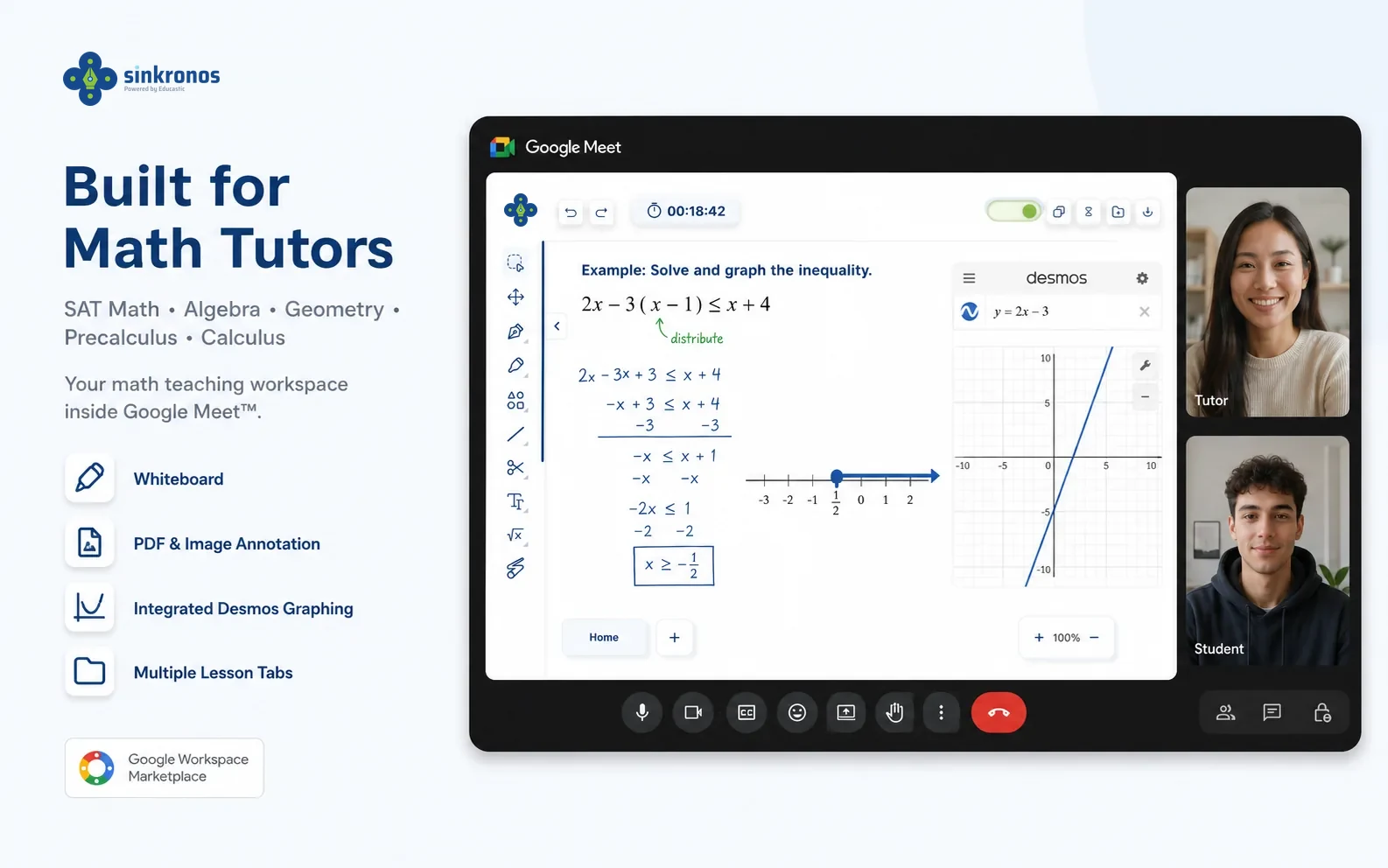
For SAT Math tutors and online math teachers
Teach math in Google Meet without sharing your screen.
Your student sees your whiteboard, worksheets and Desmos graphs right in the call, and draws on the board with you.
Free to install. Opens inside your Meet call.
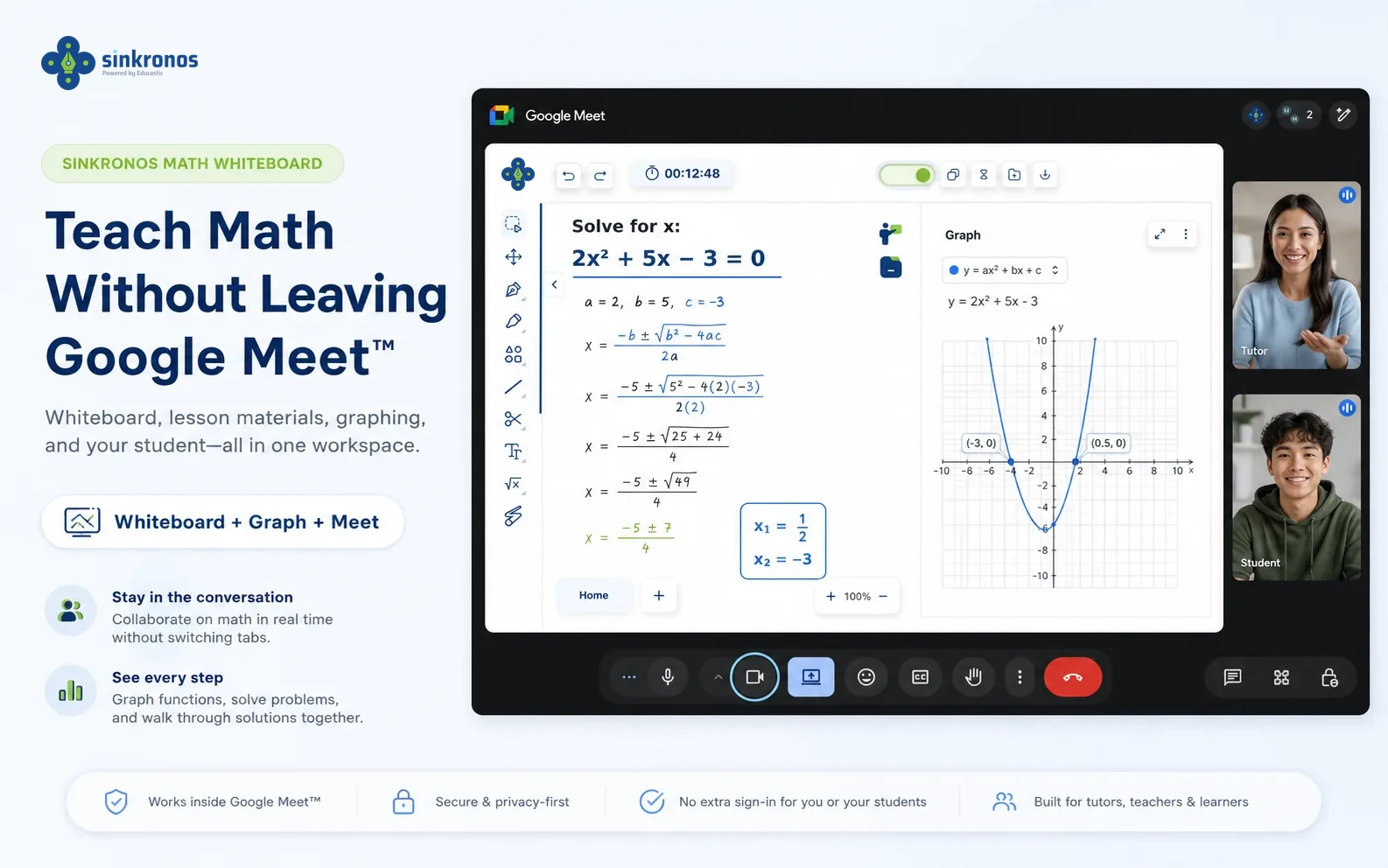
Screen sharing turns your student into a spectator.
You share your screen, and your student watches you switch from the whiteboard to the PDF to Desmos and back. They can't circle the number they are stuck on. Sinkronos puts the board, your materials and Desmos inside the Meet call, where both of you work on them.
How a Lesson Runs
Five steps, all inside the meeting you already started.
Open Sinkronos in Google Meet™
During your call, open Meeting tools, choose Add-ons and pick Sinkronos.
Bring in the problem
Upload the worksheet, PDF or screenshot you are working from.
Work it out together
Write, draw and highlight each step while your student follows along.
Use Desmos
Open the graphing tool without leaving the workspace.
Keep teaching
Your student joins the board from the same Meet call.
Desmos is on the digital SAT. Now it is in your lesson.
Your student takes the digital SAT with a Desmos calculator built into the test. Sinkronos puts Desmos next to your board, so you show when to graph and when to solve by hand without leaving the call.
See a Lesson in Action
Watch how a math lesson runs end to end inside Google Meet™.
Everything You Need to Teach Math
The tools a math lesson actually needs, in the place you already teach.
Math-First Whiteboard
Write each step so your student sees the reasoning, not only the answer.
Desmos in the Teaching Workflow
Graph the equation you just wrote, then go back to the solution. No tab switching.
PDF & Image Annotation
Upload the worksheet your student was assigned and mark it up live.
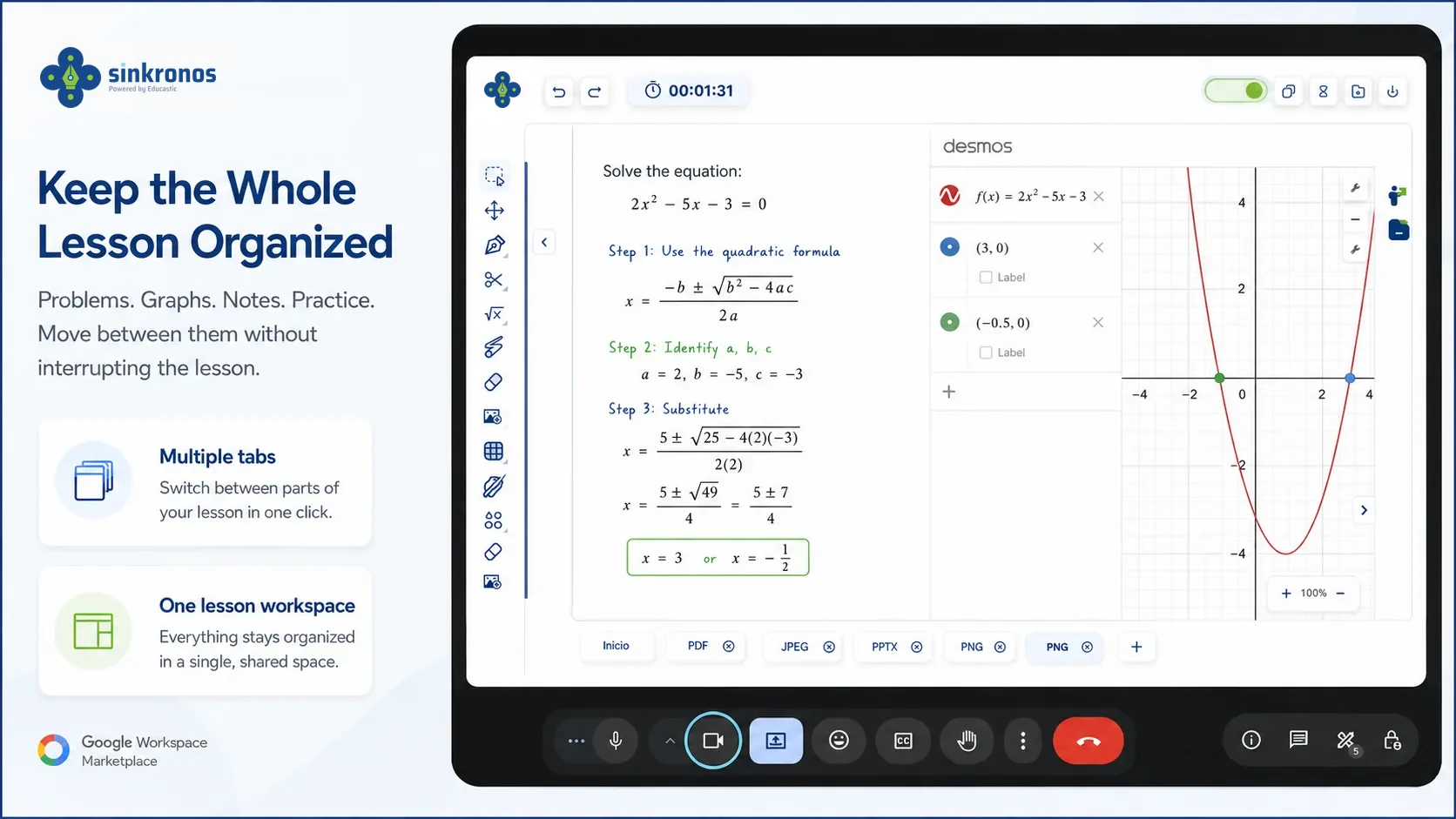
Multiple Lesson Tabs
Each upload opens in its own tab, so you move between problems without losing your place.
Built Around Google Meet™
Keep the call your students already join, and add the math workspace it is missing.
Write Math the Way You Teach It
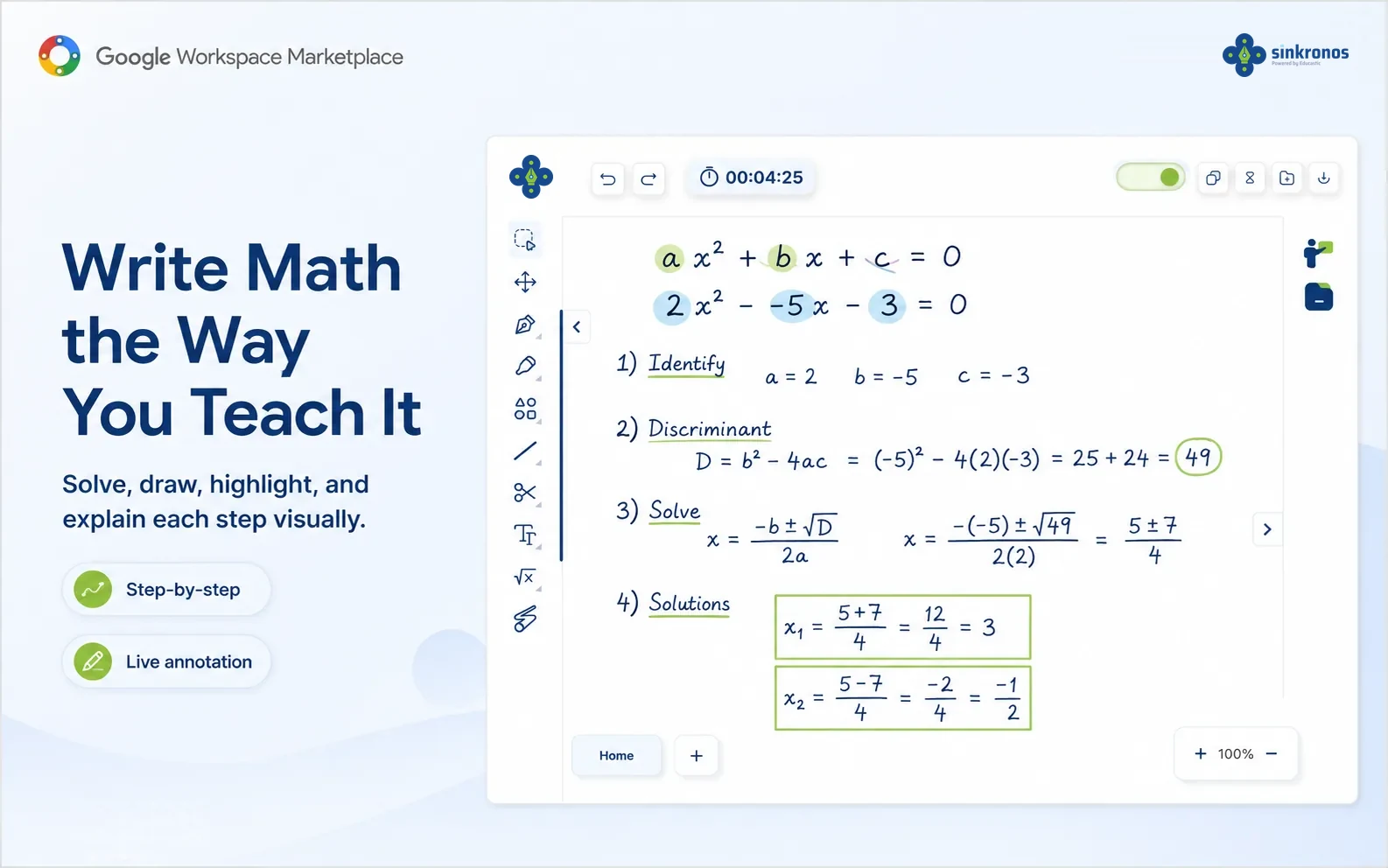
Solve, draw, highlight, and explain each step visually, so your student sees the reasoning and not just the answer.
Build a solution one line at a time instead of revealing it all at once.
Circle the given values, mark the substitution, and box the final answer as you talk.
Bring Your Own Problems
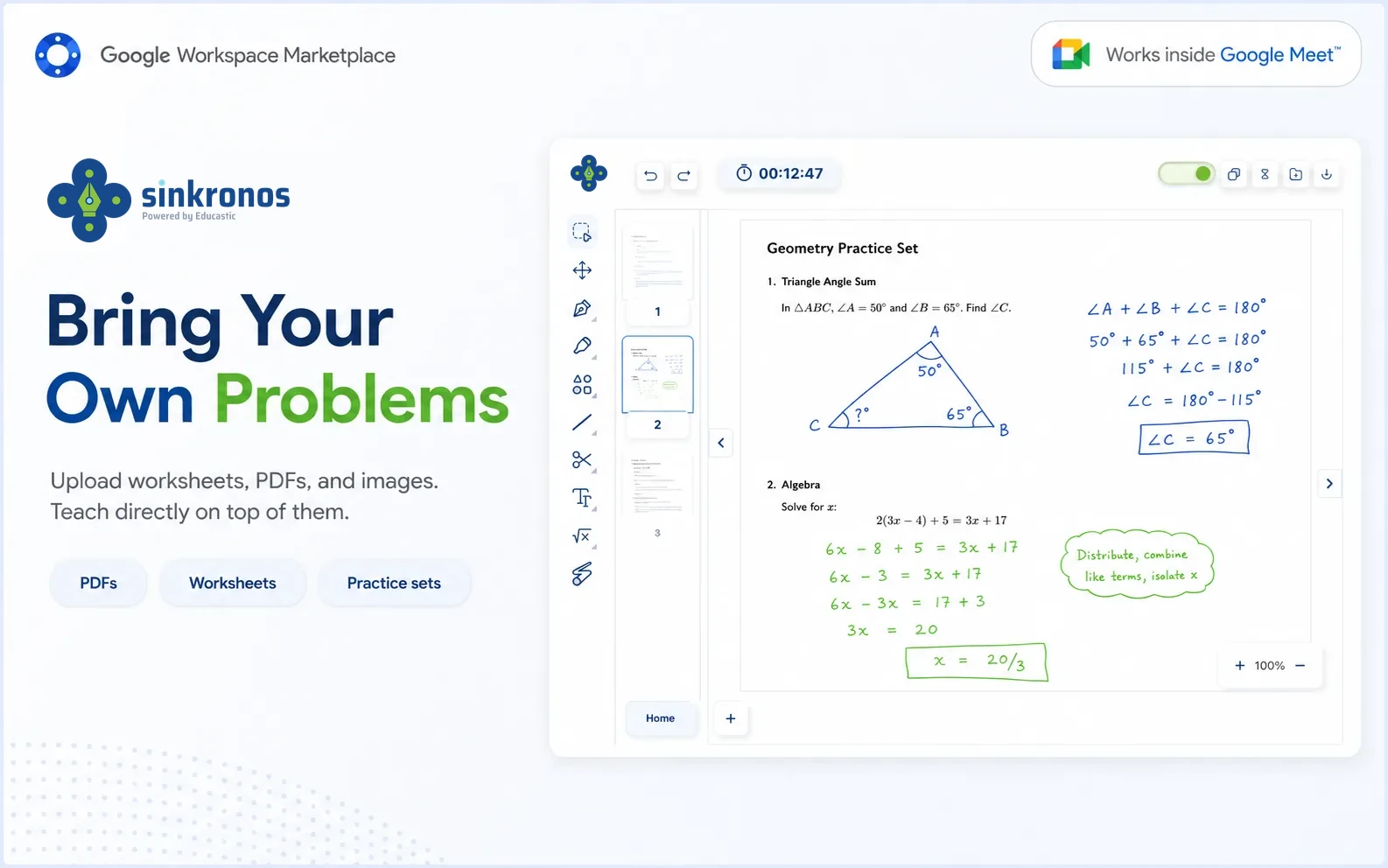
Upload worksheets, PDFs, and images. Teach directly on top of them instead of describing them over a shared screen.
Work from the material your student is actually assigned.
Each upload opens in its own tab so nothing gets lost mid-lesson.
Keep Google Meet. Add the Math Classroom.
You don't need another video platform. You need better tools for teaching mathematics inside the one you're already using.
- Google Meet
- separate whiteboard
- separate PDF
- separate Desmos tab
- screen sharing
- Google Meet
- Whiteboard
- Lesson Materials
- Desmos
- Multiple Tabs
One Workspace
Built for Math Tutors
SAT Math is where most tutors start with Sinkronos, but the workspace fits online math instruction generally.